- Get Started
- Video Tutorials
- Knowledge Base
- FAQs & Troubleshooting
How to authorize Shipbest in 4Seller?
Authorizing Shipbest in 4Seller allows sellers to quickly purchase shipping labels and fulfill orders.

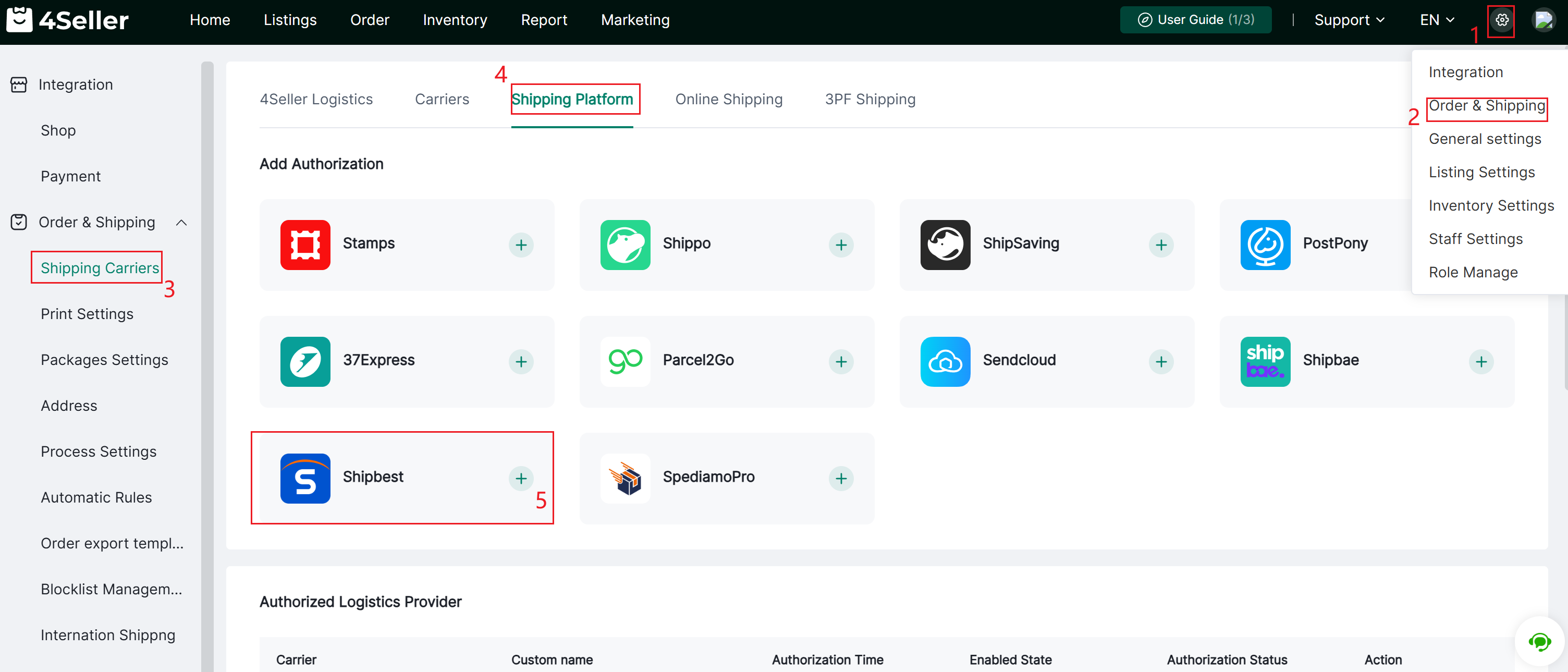
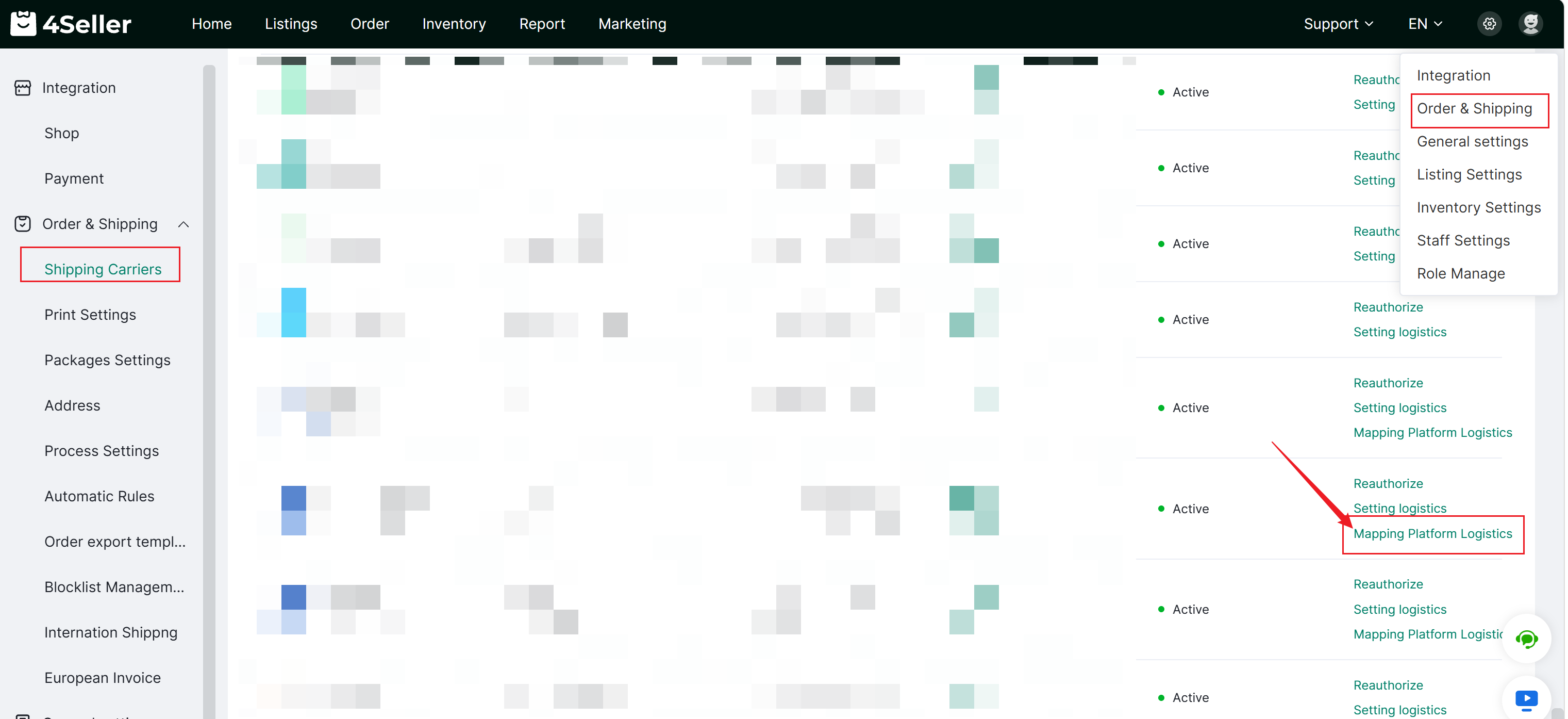
1. Click Settings in the top right corner → Orders & Shipping → Shipping Carriers → Logistics Platforms, locate Shipbest, and click the "+" icon to authorize.


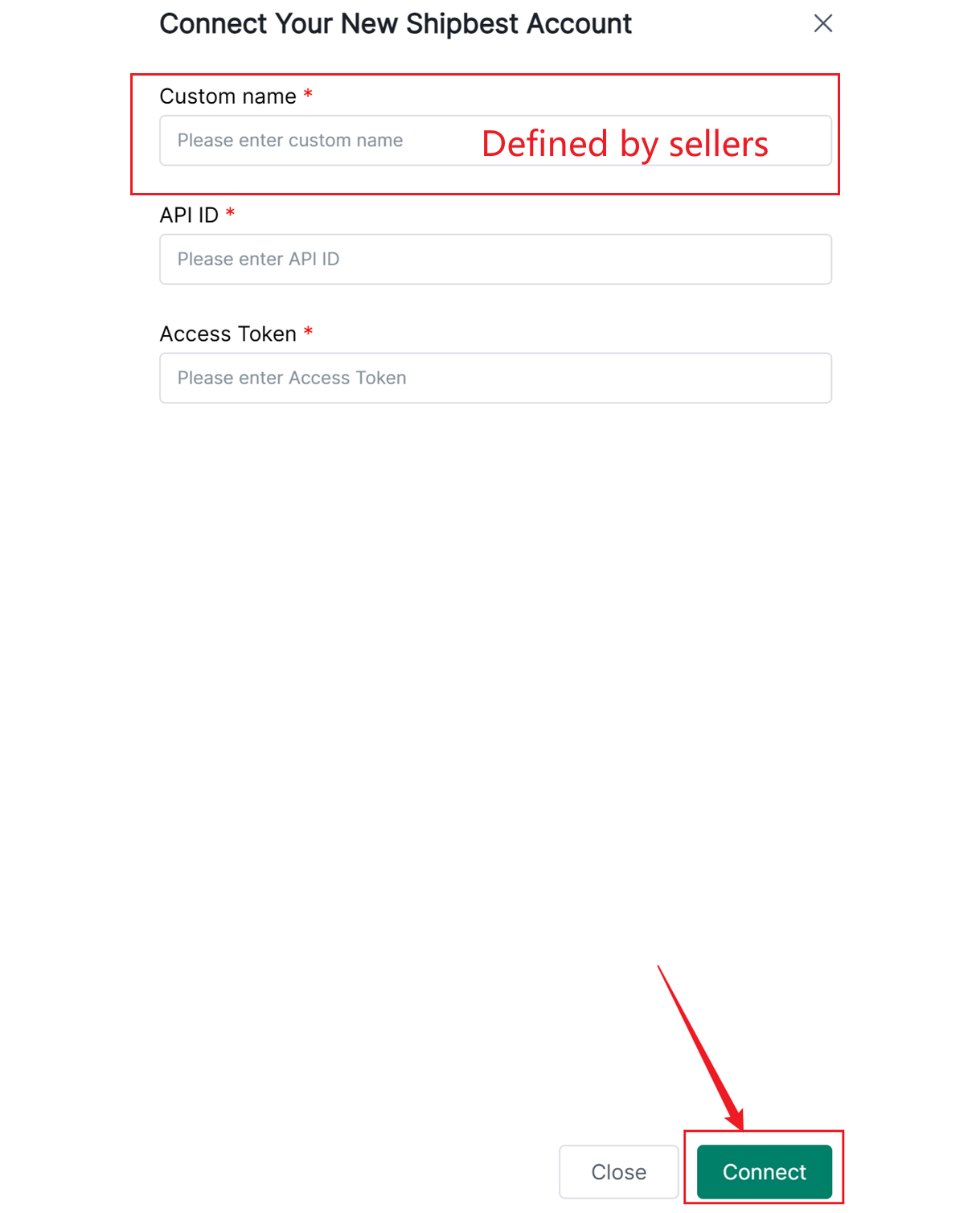
2. Fill in the relevant information in the pop-up window and click Connect.


Where can I find the API Name and API Secret?

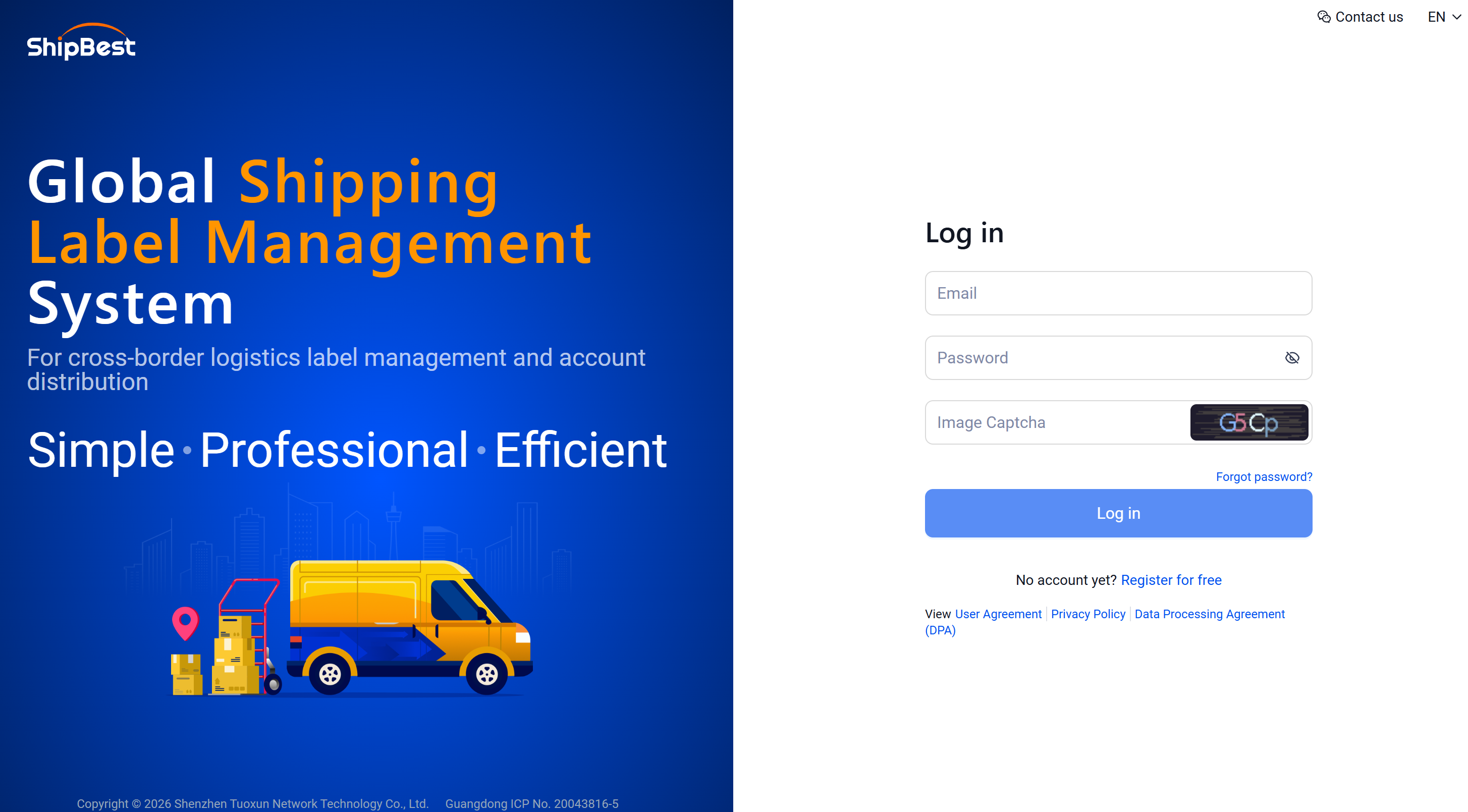
(1) Register for a Shipbest account: https://tms.shipbest.com/register


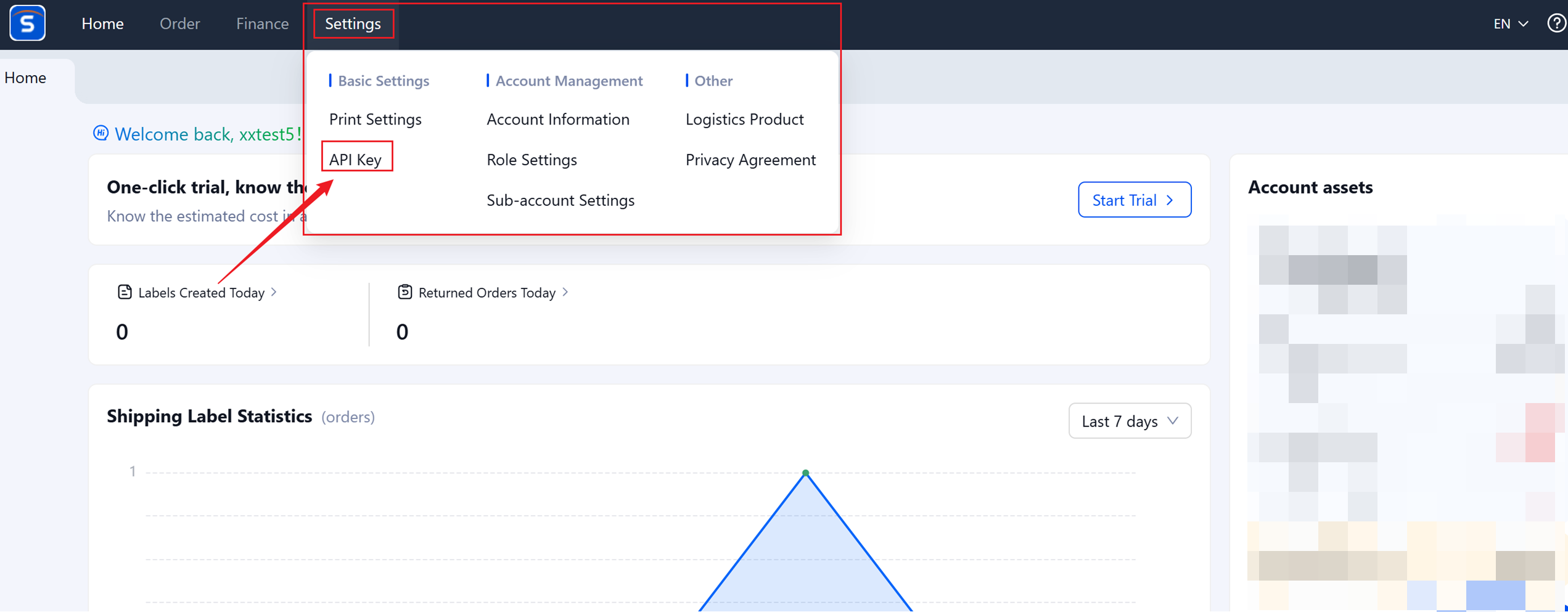
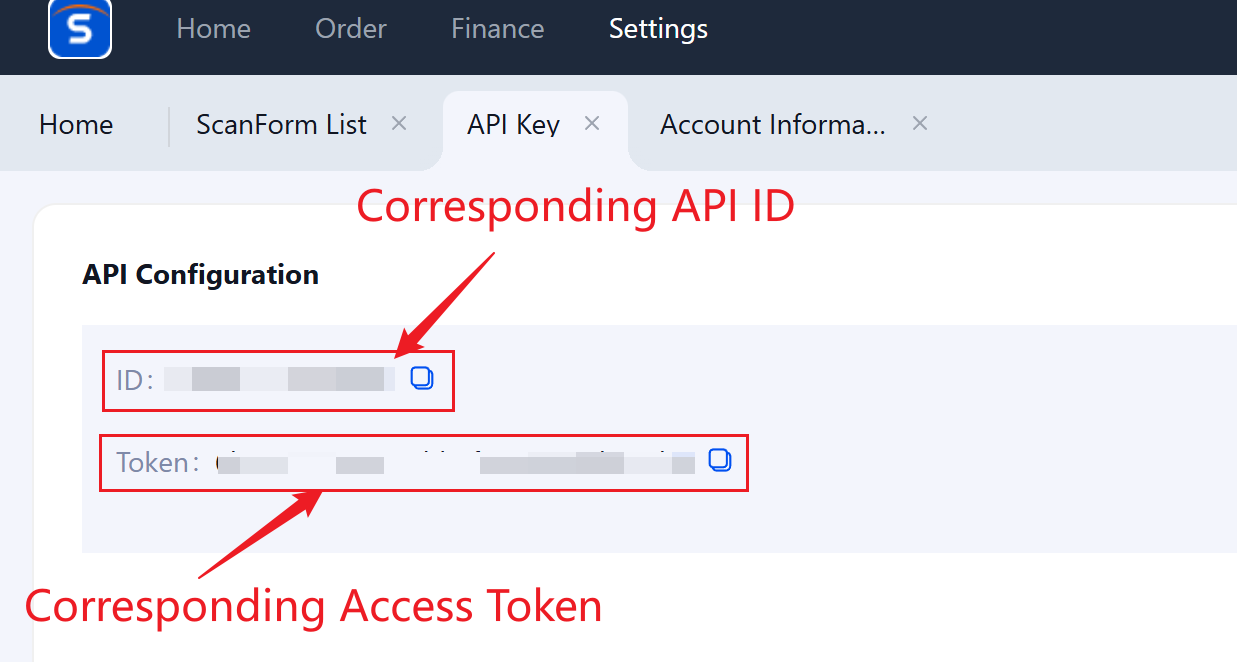
(2) Click Settings on the homepage, then you will find the API Secret in the area marked by the red box.


(3) View the relevant ID and secret.


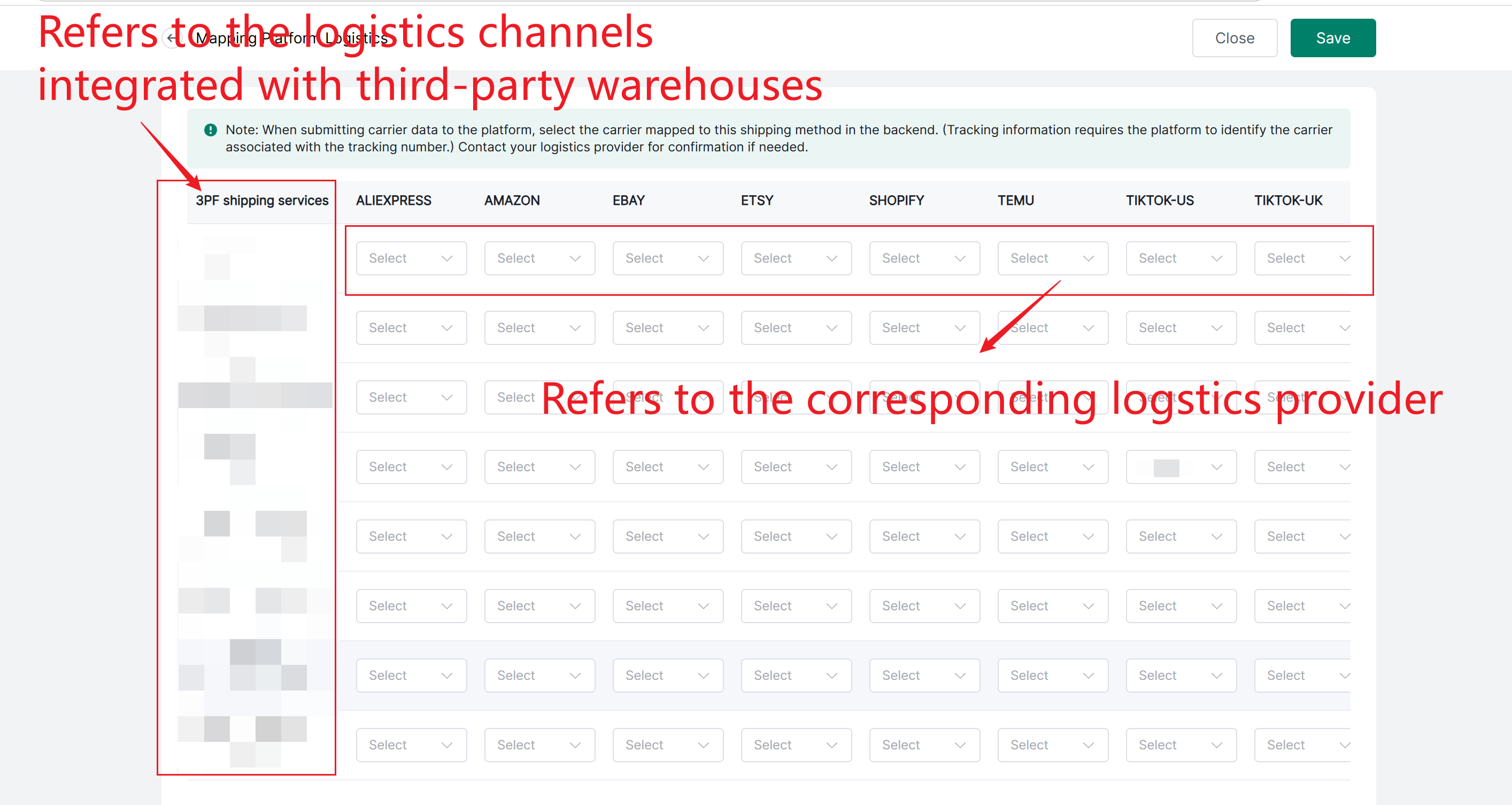
3. Once authorization is successful, you can view the details here,and you can also re-authorize, configure shipping channels, and to map platform logistics. (Please ensure that Shipbest is enabled, and click Mapping Platform Logistics to complete the necessary mappings, which required for successful order fulfillment.)


Any problem feel free to contact 4Seller Support Team: support@4seller.com